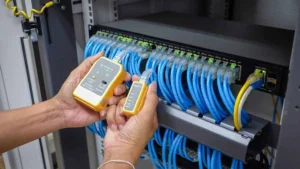
NC01

Network Cabling

Department
Desk Support
Campus
Ultimo
Level
Level 1
Semester
Bootcamps 2025
Method
Face to Face

If you’re a fresh graduate from any IT or IS. This course is an excellent option for you to cick start your IT career. The course covers the following modules:

  1. Session 1: Introduction to Structured Cabling
  2. Session 2: Fundamentals of Copper Cabling (Cat6)
  3. Session 3: Cable Handling and Tools
  4. Session 4: Terminating Cat6 with RJ-45 Connectors
  5. Session 5: Patch Panel Setup for Cat6
  6. Session 6: Wall Outlets and Faceplates (Wall Jack)
  7. Session 7: Fiber Optic Fundamentals
  8. Session 8: Fiber Optic Cable Preparation
  9. Session 9: Fiber Termination and Splicing
  10. Session 10: Fiber Patch Panels
  11. Session 11: Testing and Certification
  12. Session 12: Final Project – End-to-End Network Installation

The aim of this course is to equip students with the theoretical knowledge and practical skills required to design, install, terminate, and test structured cabling systems using Cat6 copper cabling and fiber optic cabling. Through hands-on training with patch panels, connectors, and testing equipment, students will be prepared to implement reliable, industry-standard cabling infrastructures for modern IT and telecommunications networks.

  • Banking
  • Economic Policy
  • Financial Sector Management
  • Quantitative Finance
Time Place Room Date Range Instructor
10:00am – 01:00pm Ultimo 75 15/10/2025-10/11/2025 Mousa Abu Kashef

Improve Your Cabling skills in 12 weeks

The programme aims to promote an understanding of the principles of Network cabling. This includes:

Session 1: Introduction to Structured Cabling

  •  Overview of structured cabling standards (TIA/EIA-568, ISO/IEC 11801).
  • Differences between Cat5e, Cat6, Cat6a, and fiber optic cables.
  • Tools and safety requirements.

Session 2: Fundamentals of Copper Cabling (Cat6)

  • Construction of Cat6 cable (twisted pairs, shielding, jacket).
  • Categories of UTP vs STP.
  • Electrical properties (attenuation, crosstalk, bandwidth).

Session 3: Cable Handling and Tools

  • Correct cable handling techniques.
  • Tools: crimping tools, punch-down tool, cable tester, tone generator, fish tape.
  • Cable management best practices.

Session 4: Terminating Cat6 with RJ-45 Connectors

  • T568A vs T568B wiring standards.
  • Step-by-step practice: stripping, arranging pairs, crimping RJ-45.
  • Testing terminated cables with cable testers.


Session 5: Patch Panel Setup for Cat6

  • Understanding patch panels and keystone jacks.
  • Punching down Cat6 cables into patch panels.
  • Labeling and documentation practices.

Session 6: Wall Outlets and Faceplates

  • Installing Cat6 cables into wall sockets.
  • Connecting wall outlets to patch panels.
  • Testing end-to-end connectivity.

Session 7: Fiber Optic Fundamentals

  • Types of fiber: single-mode vs multi-mode.
  • Fiber connectors (LC, SC, ST).
  • Fiber optic safety (eye protection, handling).

Session 8: Fiber Optic Cable Preparation

  • Fiber optic cable construction.
  • Stripping fiber optic cable.
  • Cleaving fiber for termination.

Session 9: Fiber Termination and Splicing

  • Hands-on: connectorization of fiber (mechanical termination).
  • Introduction to fusion splicing.
  • Practice splicing multimode fiber.

Session 10: Fiber Patch Panels

  • Installing fiber cables into patch panels.
  • Managing slack and bend radius.
  • Labeling and documentation.

Session 11: Testing and Certification

  • Copper testing: continuity, crosstalk, bandwidth.
  • Fiber testing: OTDR (Optical Time Domain Reflectometer), power meters.
  • Troubleshooting faulty cables.

Session 12: Final Project – End-to-End Network Installation

  • Students design and install a small structured cabling system:
  • Cat6 cabling with patch panel + wall outlets.
  • Fiber backbone connection between racks.
  • Testing and certifying the installation.
  • Review, Q&A, and certification of completion.


Entry requirements

Any certificate or degree in IT or IS. This may include 

  1. Diploma of IT or related
  2. Bachelor of IT or related
  3. Master of IT or related
  4. Graduate Diploma of IT or related
  5. PhD of IT or related
  6. Relevant experience 

Course structure and modules

  1. Introduction to IT Support
  2. Computer system Fundemantal (Laptops & Desktops)
  3. Computer System Fundemental (Servers)
  4. Computer Network Fundemental (Switches, Routers, Firewalls)
  5. Windows Active Directory and Group Policy
  6. Windows Advanced Management
  7. CompTIA A+
  8. CompTIA A+
  9. CompTIA A+
  10. Security Basics
  11. Modern Technology Topics
  12. Customer Experience 

How you study

You only need to attend the face-to-face classes

Career opportunities

Any Level one IT and Desk support. this may work for:

  1. Financial Institutes
  2. Academic Institutes
  3. Health care Institutes
  4. Government Institutes
  5. IT companies
  6. Insurance companies
  7. Transportation companies
  8. Data centers
  9. Airports
  10. Flight companies
  11. Service desk support companies
  12. etc